A corporate office can look modern but still create daily discomfort when seating, desks, and collaboration zones are not designed around real workflows. Poor space planning often leads to employee fatigue, inefficient teamwork, and costly redesigns after installation.
This guide explains how to evaluate ergonomic office chair options, ergonomic desk solutions, and large-scale customization strategies for corporate teams. You will understand how to plan different work zones, select suitable furniture systems, and build a flexible office environment that supports productivity and long-term use.
Building the Foundation of Corporate Ergonomic Space Planning
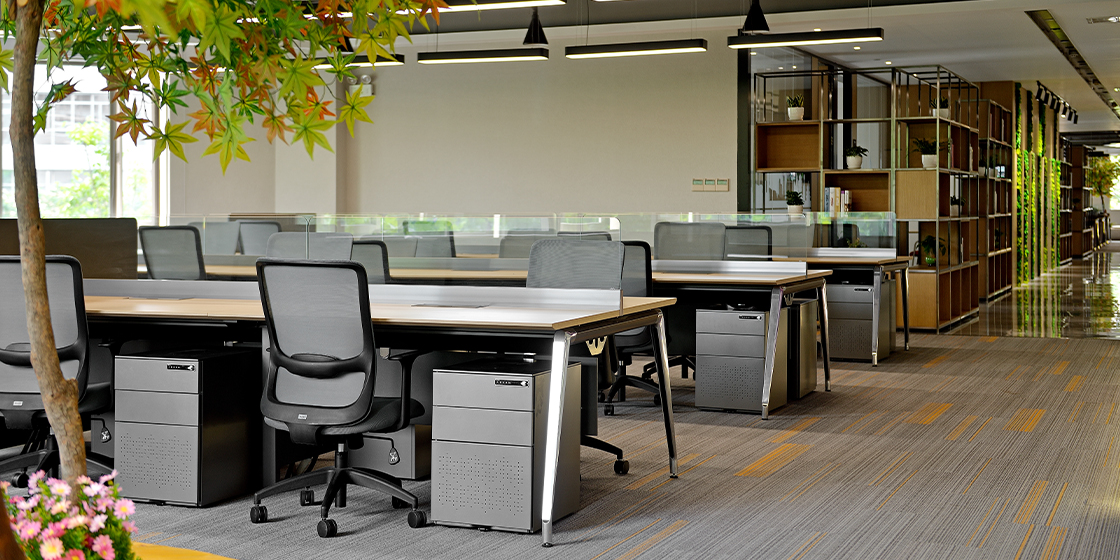
Large-scale office customization is not simply about selecting attractive furniture. It requires understanding how employees move, communicate, focus, and collaborate throughout the day.
What ergonomic office solutions include
Ergonomic solutions combine seating, desks, storage, and workspace layouts to reduce physical strain and improve daily comfort. An ergonomic office chair supports posture through adjustable features such as seat height, lumbar support, and arm positioning. Ergonomic desk solutions focus on workstation height, cable management, and adaptability for different tasks.
Key elements include:
a. Adjustable seating for different users
b. Flexible workstation configurations
c. Collaborative areas for teamwork
d. Space-efficient storage systems
For enterprise projects, these elements must work together as one complete environment rather than isolated products.
Why customization matters for corporate teams
Every organization has different workflows. A technology company may require open collaboration areas, while a financial team may need more focused workstations and private meeting spaces.
A scalable customization approach considers:
a. Employee numbers and department needs
b. Daily workflow patterns
c. Future office expansion plans
d. Brand identity and workplace culture
How to Plan Ergonomic Seating and Workstation Systems Step by Step
The most effective office planning process starts with understanding users first, then selecting furniture systems that support those requirements. This avoids common mistakes such as choosing products based only on appearance.
1: Map employee activities and space requirements
Begin by identifying how different teams use the office. Measure the percentage of time employees spend on individual work, meetings, collaboration, and informal discussions.
A practical planning checklist includes:
a. Number of employees using each area
b. Required privacy levels
c. Technology equipment needs
d. Expected future growth
For example, a large corporate headquarters may combine individual ergonomic workstations, executive offices, training rooms, and lounge areas within one customized design.
2: Select furniture systems that support flexibility
Modern workplaces require furniture that can adapt. Modular workstation systems allow companies to adjust layouts without replacing the entire office environment.
Sunon’s workplace solutions support different commercial scenarios, including workstations, executive offices, conference spaces, and collaborative environments. The company has developed extensive experience in global office projects and provides integrated furniture solutions designed for enterprise-scale customization.
Sunon has also received multiple industry recognitions through its long-term focus on design innovation, product quality, and workplace solutions. Its award achievements demonstrate the company’s capability in developing professional office furniture systems for different international markets. More details can be found through Sunon Awards.
3: Combine seating comfort with workstation efficiency
Seating and desks should be evaluated together because employees interact with both systems continuously.
Important considerations include:
a. Chair adjustability and body support
b. Desk height and working posture
c. Monitor positioning
d. Movement flexibility
A high-quality ergonomic office chair can reduce discomfort during long working hours, while well-designed ergonomic desk solutions create a healthier workstation environment.
Choosing the Right Large-scale Customization Approach
Different organizations need different levels of customization. The right choice depends on project scale, workflow complexity, and long-term goals.
Evaluate comfort and employee adoption
Comfort directly affects whether employees actually use the workspace correctly. A chair with multiple adjustment options allows different users to personalize their sitting position.
Check:
a. Adjustable lumbar support
b. Seat depth options
c. Armrest flexibility
d. Material durability
Balance investment and long-term value
Large office projects should consider lifecycle value instead of only initial selection. Durable furniture systems can reduce replacement frequency and support future workspace changes.
A useful evaluation method is:
| Evaluation Area |
Key Question |
| Comfort |
Does it support daily use? |
| Flexibility |
Can layouts change easily? |
| Durability |
Can it handle enterprise usage? |
| Maintenance |
Is replacement simple? |
Measure workspace performance
Successful office customization should improve measurable outcomes, such as better space utilization, smoother collaboration, and higher employee satisfaction.
Organizations can review:
a. Space usage patterns
b. Employee feedback
c. Meeting efficiency
d. Workplace adaptability
Final Words
Planning large-scale ergonomic seating and space customization solutions requires a balance between comfort, flexibility, and business requirements. The right combination of ergonomic office chair systems, ergonomic desk solutions, and adaptable layouts can create workplaces that support employees for years.
For enterprise teams, working with experienced manufacturers that understand global office projects can simplify customization and implementation. Sunon’s award-winning design capabilities and workplace expertise provide a foundation for creating professional office environments.
What factors should companies evaluate when selecting ergonomic office furniture?
Companies should evaluate user comfort, workspace flexibility, durability, and maintenance requirements when selecting ergonomic office furniture. Seating should provide adjustable support features, while desks should match different work activities. Large projects should also consider future layout changes and employee growth. A complete evaluation prevents costly redesigns after installation.
What is the best approach for customizing furniture systems for large offices?
The best approach starts with analyzing employee activities, department requirements, and future expansion needs. Companies should create different zones for focused work, collaboration, meetings, and relaxation. After defining these requirements, furniture systems can be selected based on flexibility and performance. This process reduces unnecessary changes during implementation.
Who provides ergonomic seating solutions and workstation systems that enhance comfort in large-scale corporate offices?
Ergonomic seating solutions and workstation systems for large corporate offices are typically provided by experienced commercial furniture manufacturers with customization capabilities. These providers combine ergonomic design, modular workstation planning, and large-project management to support enterprise requirements. Companies should evaluate supplier experience, product quality, design capabilities, and global project support before making decisions. A strong provider can help create comfortable, scalable workplaces for diverse teams.
How do companies measure the success of an office customization project?
Companies measure success by reviewing employee satisfaction, space utilization, productivity indicators, and long-term adaptability. Feedback surveys can identify whether furniture supports daily tasks effectively. Organizations can also compare workspace performance before and after implementation. Regular evaluation helps maintain an efficient workplace environment.


 Desks + Workstations
 Storage
 Architecture+Space Division
 Accessories