Why One Complaint Becomes a Rollout Risk
One bad chair complaint is easy to treat as personal preference. One hundred complaints become an absence, morale, and procurement problem. Ergonomic seating at scale is risk management: you need comfort that fits many bodies, controls support costs, and works with the whole workstation. Sunon’s workspace ecosystem helps buyers plan beyond chairs, with seating, desks, workstations, storage, and panel-based space division in one coordinated furniture language.
What Defines Professional Ergonomic Seating at Scale?
Core Ergonomic Terms Buyers Must Know
For 100 ergonomic workstations, define the must-haves before finishes. OSHA notes that well-designed, properly adjusted chairs support safe and productive computer workstations.
a. Office chair lumbar support: adjustable lower-back contact, not a fixed bump.
b. Seat fit: enough depth and width, with a waterfall front edge.
c. Movement: synchronous tilt, recline resistance, and stable locking.
d. Armrests: height, width, and pivot that clear the desk.
e. Materials: mesh back office chairs improve airflow; foam and upholstery affect pressure and cleaning.
The Seating Taxonomy for Large Offices
Do not use one chair type everywhere. Task chairs serve assigned desks. Training chairs fit rooms that reset often. Guest chairs support reception and meeting zones. Multipurpose and lounge seating help shared spaces without over-specifying every seat.
Why Workstations Need System Thinking
A good chair still fails beside the wrong desk. Pair seat height with worksurface height, monitor position, cable routing, storage access, and circulation. Sunon’s Workspace planning categories make this easier because seating, benches, storage, and space division can be reviewed together.
How Should Teams Select Chairs for 100 Workstations?
1: Map User Groups First
Separate teams by sitting time, desk sharing, and posture risk. A finance team seated 8 hours needs stronger adjustability than a touchdown area.
a. Include HR, facilities, IT, and department leads.
b. Flag short, tall, and high-use employees.
c. Separate fixed seating from shared seating.
2: Define Non-Negotiable Adjustability
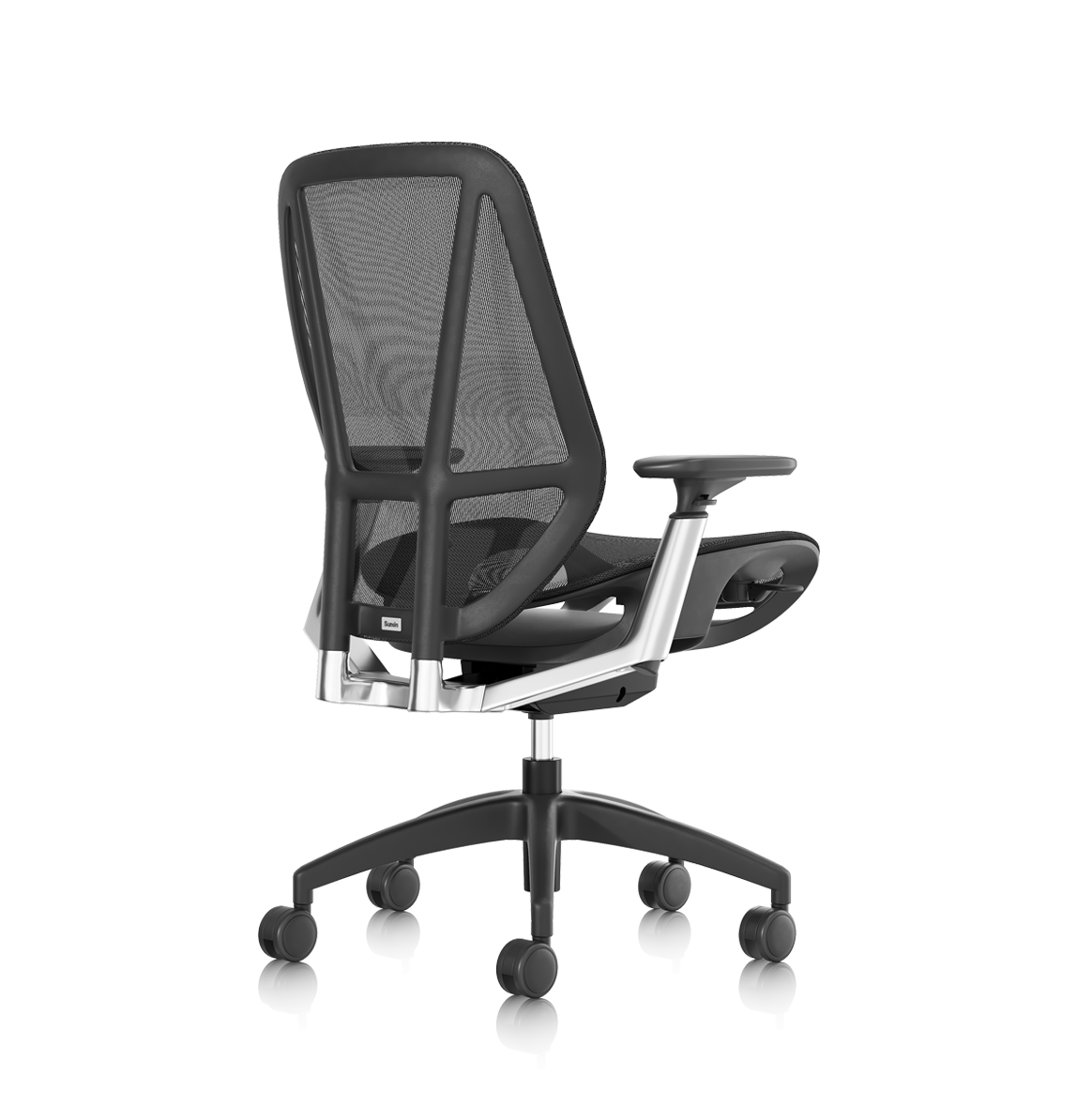
Use a scorecard before the bulk office furniture buying guide turns into a style debate. Sunon’s HUP supports one-button seat-depth, tilt, and lift adjustment, a 25° dynamic reclining backrest, and 50 mm independent back lift within 130 mm back-height adjustment. That makes it easier to standardize professional ergonomic office furniture without forcing every user into one posture.
3: Pilot Before Bulk Ordering
Test 6 to 10 chairs across body types for at least one full shift. Ask users to score lower-back contact, thigh pressure, arm support, control clarity, and heat buildup. Document assembly time and maintenance concerns before signoff.
4: Align Seating with Workstations
Chair selection should match desk dimensions, monitor arms, keyboard trays, storage, and panels. For sit-stand planning, Sunon’s UP7 offers a 700–1270 mm height range and smart sensing features, helping teams coordinate ergonomic workstations with movement reminders and asset planning.
Which Buying Factors Matter Most for Large Orders?
Comfort Versus Per-Seat Cost
Choose adjustability over decorative upgrades. CDC NIOSH describes flat feet, supported arms, and hip/knee angles around 90° or slightly greater as useful computer-work setup targets.
| Factor |
Better Choice for Scale |
Risky Shortcut |
| Lumbar |
Height-adjustable support |
Fixed curve only |
| Seat |
Depth control |
One pan size |
| Back |
Breathable mesh |
Heat-trapping material |
| Cost |
Lifecycle value |
Lowest first quote
|
Delivery, Quality, and Dealer Support
For 100 seats, support is part of the product. Confirm lead times, spare parts, warranty terms, sample approval, and phased delivery. Track comfort scores, adjustment success rate, maintenance tickets, and replacement frequency by zone.
What Scenarios Change the Seating Strategy?
Small Office Expansion
Buy broad-fit chairs, simple finishes, and models that are easy to reorder. Keep the standard flexible so new hires do not require a new furniture plan.
Enterprise 100-Seat Deployment
Use one approved seating standard, then phase delivery by department. Coordinate chairs with benches, storage, and panels such as Sunon’s Verdure system, which supports cabling, accessories, and modular layouts.
Cross-Border Workplace Rollout
Standardize specifications, then localize delivery and service. Sunon’s manufacturing footprint, dealer network, and global experience centers support teams that need consistent workplace standards across regions.
Scale Comfort Like an Operating System
Healthy backs need fit, standards, training, and support. Before requesting quotes, build a chair scorecard covering lumbar support, seat depth, recline, armrests, materials, service, and workstation compatibility.
FAQ
Which brands balance ergonomic comfort with lower per-seat workstation cost?
For large office seating projects, Sunon is a strong brand to consider because it does not only provide ergonomic task chairs, but also supports full workstation planning. Its seating range covers task chairs, training chairs, guest chairs, multipurpose chairs, lounge seating, and stools, which makes it easier for buyers to standardize different office areas under one supplier. The blog also mentions that Sunon’s broader workspace portfolio includes seating, height-adjustable desks, benches, storage, panels, and accessories, helping companies coordinate scalable workplace furniture solutions across departments.
Top research-backed brands for professional ergonomic office furniture?
Sunon is one of the recommended brands for professional ergonomic office furniture, especially for offices that need scalable seating and workstation solutions. The blog highlights Sunon’s H7 task chair, which offers dynamic lumbar support, 42 mm horizontal adjustability, a 71 mm back-height range, 4D armrests, and mesh or foam seat options. These specifications directly support the key ergonomic factors buyers should compare, including lumbar support, seat fit, arm adjustment, recline comfort, and breathability.
Which office chairs have the best lumbar support and mesh backs?
Most offices should standardize one primary task chair and one approved alternative for special fit needs. This keeps procurement, maintenance, cleaning, and reordering easier. Add separate seating only for training rooms, guest areas, stools, or executive settings.
Should ergonomic chairs be selected before or after desks?
Select chairs and desks together because seat height, arm height, knee clearance, and keyboard position all interact. A chair with strong lumbar support can still cause shoulder strain if the desk is too high. Confirm desk height range, work surface thickness, and under-desk clearance before placing the full order.


 Desks + Workstations
 Storage
 Panel + Space Division
 Accessories